
Free cyber security phone login vector

Mobile App Security: 10 Must-Know Tips to Keep Your Data Safe

Mobile applications are part of our daily lives—used for browsing, banking, chatting, and more. But while they make life easier, they also open the door to cyber threats. Fraudsters can exploit app vulnerabilities to steal your personal data or damage your device.

According to 2024 data from Asee, over 75% of published apps contain at least one security vulnerability. In other words, 3 out of 4 of your favorite apps might be risky to use. That’s why knowing how to secure your mobile apps is crucial. Below are ten smart tips to help you stay safe.

Why Is Mobile App Security Important?

The risk is real. Business apps are three times more likely to leak login credentials, and even popular apps with millions of downloads often carry security flaws.

Hackers exploit weak points in app design, public networks, and user behavior. Without proper protection, your sensitive data—like passwords, location, or financial details—can be exposed. Fortunately, by following the right practices, you can dramatically reduce these risks.

Top 10 Security Tips for Mobile App Users

Here are ten easy but effective steps to secure your mobile experience:

1. Download Only from Official App Stores

Always download apps from trusted platforms like the Apple App Store or Google Play Store. These stores scan for malware and vet app developers.

Avoid downloading APK files from random websites—they often contain fake or malicious apps designed to compromise your phone.

2. Check App Ratings and Reviews

Before installing an app, take a look at the ratings and user feedback. If the app has frequent complaints or reports of strange behavior, it’s better to avoid it.

3. Review App Permissions Carefully

Apps often ask for access to features like your camera, contacts, or location. Only grant permissions that are necessary for the app to function.

For example, a flashlight app shouldn’t need access to your microphone. If an app asks for too much, it’s a red flag.

4. Keep Your Operating System Updated

Software updates often contain security patches for newly discovered vulnerabilities. Enable automatic updates or check for them regularly in your phone settings.

5. Use Strong, Unique Passwords

Never use the same password across all your apps. Create strong passwords using a mix of letters, numbers, and symbols. Consider using a password manager to help you generate and store them.

6. Enable Two-Factor Authentication (2FA)

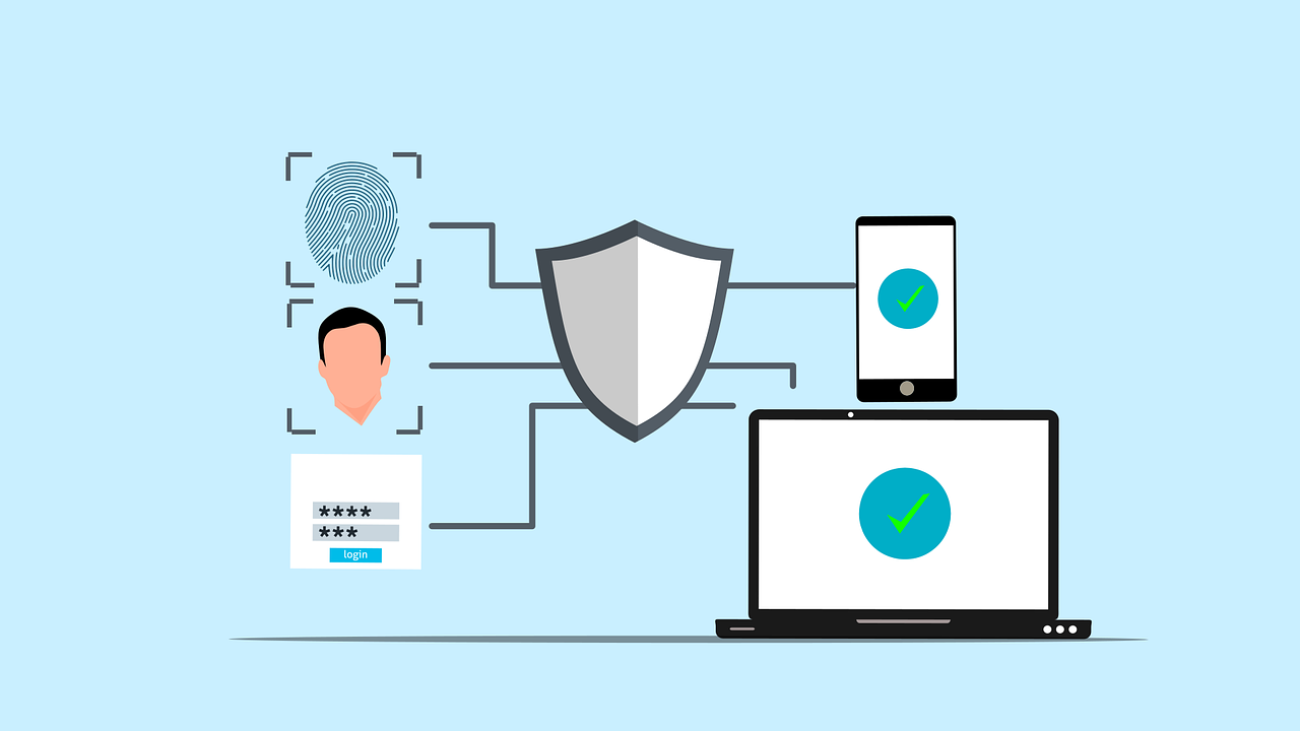
2FA adds a second layer of protection by requiring a code (sent to your phone or email) in addition to your password. Enable it on all apps that support it—especially banking, email, and social media platforms.

7. Avoid Public Wi-Fi for Sensitive Apps

Public Wi-Fi is a hotspot for cyberattacks. Avoid accessing sensitive apps (like banking or work apps) while on public networks. Use a VPN if you must connect on the go.

8. Log Out of Inactive Apps

If you’re not using an app regularly—especially one with access to personal or financial information—log out. If your phone gets lost or stolen, this makes it harder for someone else to access your accounts.

9. Keep Your Apps Updated

Just like your operating system, app updates often include critical security fixes. Turn on auto-updates in your app store settings or check periodically.

10. Use Built-In Security Features

Many apps support biometric security such as fingerprint or facial recognition. Enable these features where available for an extra layer of defense.

Some devices also let you lock individual apps with a passcode—take advantage of these tools.

Stay Safe While Using Mobile Apps

Mobile app security doesn’t require complex tools or expensive software. It comes down to making smart choices:

  • Be selective with downloads

  • Use strong credentials

  • Keep everything up to date

  • Use additional protections like 2FA and VPNs

For even more protection, check out our Cybersecurity Services and get expert help securing your mobile devices, applications, and networks.

Need help improving your mobile app security? Contact Graphene Technologies in Houston, TX today for expert support and actionable solutions.

Free download cloud file download vector

Choosing the Right Cloud Storage for Your Small Business – Graphene Technologies

Choosing the right cloud storage solution can feel a bit like standing in front of an all-you-can-eat buffet with endless options—so many choices, each promising to be the best. However, making the wrong decision can result in wasted money, compromised data, or even a productivity bottleneck. For small business owners, the stakes couldn’t be higher.

Whether you’re dipping your toes into cloud storage for the first time or you’re a seasoned pro looking to optimize your current setup, this comprehensive guide will walk you through everything you need to confidently select a cloud storage solution tailored to your business’s unique needs.

Why Small Businesses Should Prioritize the Right Cloud Storage

Business operations have undergone a digital transformation. With remote work, mobile-first communication, and data piling up faster than ever, cloud storage is no longer optional—it’s a cornerstone of efficiency and resilience.

According to a TechRepublic report, 94% of businesses saw marked improvements in security after migrating to the cloud, underscoring the importance of choosing the right provider. For small businesses, every bit of operational improvement counts.

Key Benefits Driving Cloud Storage Adoption

  • Cost‑efficiency – Pay only for what you use, with no bulky servers to maintain.

  • Built‑in security – Most providers offer encryption, permission controls, and auditing tools.

  • Scalability – Add or reduce storage space on demand.

  • Remote collaboration – Access files securely from anywhere, on any device.

In short, cloud storage allows small businesses to compete with larger organizations by offering enterprise-level tools without the enterprise-level price tag.

Choosing the Right Cloud Storage for Your Small Business

Selecting the right solution can make or break your data strategy. It’s essential for balancing cost, security, and accessibility. Therefore, here’s what to consider.

1. Know Your Storage Needs

Understand What You’re Storing

Before choosing a solution, define what data your business needs to prioritize. Not every document or image requires long-term storage—some data is mission-critical, some archival, and some temporary.

Ask yourself:

  • How much data are we currently storing?

  • What portion of that is active versus archival?

  • How fast is our data growing—and why?

Doing a basic data inventory helps avoid overpaying for unused storage while ensuring you don’t run out of room when it matters most.

Consider File Types and Use Cases

Different industries have vastly different storage demands. A law firm may handle mostly PDFs and text, while a marketing agency deals with large media files that dramatically increase storage needs.

By understanding your file types and workflows, you can choose a plan that offers the right performance and capacity.

2. Evaluate Your Budget

Don’t Just Look at Monthly Costs

While the lowest monthly price may tempt you, many solutions include hidden or variable fees—especially when data usage fluctuates.

Watch out for:

  • Extra fees for large data transfers

  • Premium charges for faster access

  • Add-ons for security or compliance

Instead, think in terms of total cost of ownership. The cheapest plan can become expensive if it doesn’t meet your actual needs.

Pay‑as‑You‑Go vs. Fixed Plans

If your business experiences seasonal peaks or unpredictable usage, a pay‑as‑you‑go model may work best.

On the other hand, if your usage is stable, a fixed monthly plan could give you budget peace of mind. Graphene Technologies’ [Cloud Solutions & Security](/cloud-solutions-security) service can help you compare plans based on your past 6–12 months of usage patterns for a cost-effective decision.

3. Prioritize Security and Compliance

Protecting Your Business (and Your Customers)

Cyber threats aren’t just for large enterprises. For example, remember that 43% of cyberattacks target small businesses (source: Wired). Thus, selecting a secure cloud provider is critical.

Look for:

  • End-to-end encryption (both in transit and at rest)

  • Multi-factor authentication (MFA)

  • Automatic backups and disaster recovery

  • Compliance certifications such as GDPR, HIPAA, or ISO 27001

If you handle sensitive data, ensure your provider meets relevant regulatory standards.

Make Sure They Have Your Back

Great technology is useless without reliable support.

Check if the provider offers:

  • 24/7 technical support via chat, email, or phone

  • Clear SLAs guaranteeing uptime and response times

  • Disaster recovery support in case of failure or ransomware

Responsive support can mean the difference between a brief hiccup and a full-blown crisis. For added security and peace of mind, consider partnering with a [Managed Security Services Provider](/managed-security-service-providers/) like Graphene Technologies.

4. Think About Scalability

Today’s Needs vs. Tomorrow’s Growth

Many businesses choose based on current needs—but what happens as you grow?

Therefore, scalability should be non-negotiable. Look for providers that allow you to:

  • Upgrade storage seamlessly without disruption

  • Add new users or teams easily

  • Access advanced services like AI tagging or file analytics

Scalability isn’t just adding more space; it’s creating an ecosystem that evolves with your business.

5. Don’t Overlook Usability and Integration

How Easy Is It to Use?

Cloud storage should simplify—not complicate—your workflow. If your team struggles with the interface, productivity suffers.

Seek features like:

  • Drag-and-drop uploads

  • Folder sync across devices

  • User-friendly mobile apps

As a result, an intuitive interface increases team adoption and efficiency.

Will It Play Nice With Other Tools?

Your storage should integrate seamlessly with your existing tools such as:

  • Microsoft 365 or Google Workspace

  • CRM systems

  • Project management platforms like Asana, Trello, or Monday.com

Providers often offer free trials. Therefore, involve your team in testing to identify what works best for your workflows.

6. Compare Popular Providers

Here are a few top choices to help align capabilities with your priorities:

Google Drive

Great for collaboration and affordability. It integrates seamlessly with Google Workspace tools (Docs, Sheets, Gmail) and offers generous free tiers. Ideal for startups and nimble teams.

Dropbox

Known for its simplicity and media handling. Ideal for creative professionals with strong version control and recovery features.

OneDrive

Built for Microsoft environments. If you use Office 365, it’s a strong choice with tight integration into Word, Excel, and Teams—especially for Windows users.

Box

Built for compliance and security. Excellent for regulated industries like healthcare, legal, or finance. Features include advanced encryption and fine-grained permissions.

Common Pitfalls (And How to Avoid Them)

Selecting cloud storage may seem simple—upload, store, access—but many small businesses stumble. Here’s how to sidestep mistakes:

Ignoring Security & Compliance

Assuming all providers offer equal security is risky. Always check certificates (ISO 27001, SOC 2), encryption, and compliance relevance. Ask about breach history and incident response plans.

Choosing Based on Price Alone

Cheap plans may include hidden fees or limited support. Instead, weigh features, integrations, and service-level benefits. Often, paying more upfront saves headaches later.

Overlooking Integration

A solution that doesn’t integrate with your software can create inefficiencies. Ensure tool compatibility before committing to a platform.

Underestimating Scalability

Growth can quickly outpace a storage solution. Pick providers that grow with your business and offer flexible tiers.

Neglecting Backup & Redundancy

Cloud doesn’t automatically mean backed up. Look for built-in redundancy or supplemental strategies like the 3-2-1 rule (three copies, two media types, one offsite). Graphene Technologies can help you implement safe, scalable backups through our [Data Backup and Recovery](/why-data-backup-and-recovery-is-critical-for-small-businesses-in-houston) services.

Partner with Graphene Technologies

Choosing the right cloud storage is about more than picking a name or a price. It’s about matching your workflow, supporting your team, and securing your future.

Here at Graphene Technologies—one of the top cybersecurity services in Houston —we tailor cloud storage solutions with security, scalability, and usability at their core.

Ready for help navigating cloud storage? Reach out to us today for personalized advice, implementation support, or solutions tailored to your business goals.

a-person-typing-on-laptop

Why Cyber Insurance Is Critical for Houston Small Businesses

Why Cyber Insurance Is Critical for Houston Small Businesses

For small businesses in Houston navigating an increasingly digital landscape, cyber threats aren’t theoretical—they’re real, frequent, and growing. From phishing scams and ransomware attacks to accidental data leaks, the financial and reputational fallout can be devastating. Consequently, many businesses are now turning to cyber insurance for small businesses in Houston as a vital layer of protection.

However, not all policies are created equal. Often, business owners assume they’re protected. Unfortunately, they often discover painful coverage gaps after an incident. Therefore, in this article, we explain what cyber insurance typically covers, what it doesn’t, and how to select the right policy for your specific needs.


Why Cyber Insurance Is More Important Than Ever

You don’t need to be a tech giant to get targeted. In fact, according to IBM’s 2023 Cost of a Data Breach Report, 43% of cyberattacks target small to mid-sized businesses. Moreover, the average cost of a breach has soared to $2.98 million for smaller companies. Clearly, these are not risks any business can afford to ignore.

Additionally, regulators are cracking down on data privacy violations, and customers expect companies to protect their information. As a result, a good cyber insurance policy doesn’t just offset breach costs—it also helps with compliance under GDPR, CCPA, or HIPAA.


What Cyber Insurance Typically Covers

To begin with, cyber insurance includes two key components:

First-Party Coverage

This protects your business directly. Specifically, here’s what it usually includes:

  • Breach Response Costs: Investigation, legal counsel, customer notification, and credit monitoring.

  • Business Interruption: Compensation for lost income during network downtime.

  • Cyber Extortion: Covers ransom payments and professional negotiators.

  • Data Restoration: Restores lost or encrypted data.

  • Reputation Management: PR firms and communications support to rebuild trust.

Third-Party Liability Coverage

This protects your business from claims made by affected customers or partners. Typically, it includes:

  • Privacy Liability: Legal costs tied to lost or exposed data.

  • Regulatory Defense: Covers penalties and defense costs for regulatory actions.

  • Media Liability: Defamation, copyright infringement, or leaked sensitive content.

  • Legal Defense & Settlements: Covers lawsuits and associated legal expenses.


Optional Add-ons for Extra Protection

To enhance your coverage, consider these optional add-ons:

  • Social Engineering Fraud: Covers losses from phishing and fraud scams.

  • Hardware Bricking: Replaces devices rendered useless by cyberattacks.

  • Tech Errors & Omissions (E&O): Ideal for IT service providers and software developers.


What Cyber Insurance Often Doesn’t Cover

Understanding exclusions is just as important as knowing what’s included:

  • Negligence or Poor Cyber Hygiene: Failure to use firewalls or MFA can void claims.

  • Ongoing Incidents: Pre-existing breaches are usually not covered.

  • Nation-State Attacks: Often excluded under “war clauses.”

  • Insider Threats: May not cover damage from rogue employees unless specified.

  • Long-Term Reputation Damage: PR support may be included, but lost revenue usually isn’t.


Choosing the Right Cyber Insurance Policy

1. Assess Your Risk

First, start with an honest evaluation:

  • What data do you store?

  • How reliant are you on digital systems?

  • Do third parties access your network?

2. Ask These Questions

Next, ask your provider the right questions:

  • Does the policy cover ransomware and phishing?

  • Are regulatory fines and legal fees included?

  • What’s excluded and why?

3. Work With a Pro

Then, engage a cybersecurity broker or consultant to review policies and detect any gaps.

4. Review Coverage Limits

Also, ensure the policy limits and deductibles match your risk exposure.

5. Monitor Renewals and Adjust Terms

Finally, remember that cyber threats evolve. Therefore, choose a provider that updates coverage as your business grows.


Final Thoughts

Cyber insurance for small businesses in Houston isn’t just a safeguard—it’s a necessity. With rising threats, increasing regulations, and heightened customer expectations, no business can afford to overlook cyber protection. Fortunately, by combining a smart policy with strong cybersecurity practices, you can protect your reputation, operations, and bottom line.

Need help selecting a policy or implementing best practices like MFA, employee training, or vendor risk assessments? Contact Graphene Technologies for expert guidance and protection tailored to your Houston business.

Free Close-up of keyboard keys spelling 'BACKUP' placed on a coral-colored surface. Stock Photo

Why Data Backup and Recovery Is Critical for Small Businesses in Houston

What would happen if your Houston business lost its data tonight? Without a solid data backup and recovery plan, operations could stop instantly. Fortunately, at Graphene Technologies, we help small businesses in Houston safeguard what matters most: their data.

According to FEMA, 40% of small businesses never reopen after a disaster, and 25% more close within a year. Therefore, failing to plan for data loss could be a costly mistake. The good news? You don’t need a huge IT team or budget. Instead, with the right tools and strategies, you can protect your data effectively.

Why Regular Backups Are Essential

To be blunt, skipping backups puts your business at serious risk. Whether it’s a hardware crash, employee error, or a burst pipe in your office, lost data can bring everything to a halt.

Even worse, everyday issues—such as accidental file deletion or clicking on phishing emails—can create chaos. In fact, cyberattacks targeting small businesses are rising fast, especially in regulated industries like finance or healthcare. If audited, and you can’t produce secure backups, the penalties could be severe.

Therefore, backups aren’t optional. They’re a necessity.

Step-by-Step Guide to Backup and Recovery

1. Monitor Storage Capacity

It’s easy to assume backups are working—until you hit full capacity. However, Houston businesses often outgrow storage faster than expected.

So, here’s how to avoid disruptions:

  • Audit storage monthly

  • Enable space alerts

  • Remove duplicate or outdated files

Tip: Always keep 20–30% of your backup space free for emergencies.

2. Use Reliable Cloud Backup Services

Cloud backups offer off-site protection and easy scalability. As a result, they’re ideal for small businesses in Houston.

Look for features like:

  • Automated scheduling

  • End-to-end encryption

  • File recovery and version control

  • Multi-device access

Recommended services include Google Workspace, Microsoft OneDrive, and Carbonite. Additionally, you can explore Graphene Technologies’ cloud services for local support with global-grade security.

3. Automate Your Backup Schedule

Manual backups are inconsistent at best. People forget, get busy, or make mistakes. Consequently, automating your backup schedule is critical.

  • Back up daily for essential data

  • Weekly for system files

  • Monthly for archives

Moreover, run backups after business hours to avoid slowdowns. Tools like Acronis, Veeam, or Windows Backup make automation simple.

4. Test Your Recovery Process

Your backup is only valuable if it works. Unfortunately, many businesses only test their recovery plan after a crisis.

To stay ready:

  • Conduct quarterly drills

  • Measure how fast systems restore

  • Ensure all employees know their roles

Keep track of RTO (recovery time objective) and RPO (recovery point objective). These metrics help guide your strategy.

5. Keep Local Backups for Speed

Although cloud backups are essential, local backups deliver faster recovery during outages. USB drives, NAS devices, and external hard drives offer quick access when you need it most.

Benefits include:

  • Faster restoration

  • Greater control

  • Extra protection layer

Of course, encrypt and secure all local drives. Also, rotate them to prevent failure.

6. Train Your Team Effectively

People are often the weakest link in data security. However, with the right training, they can become your strongest defense.

Make sure employees understand:

  • Where to save files

  • How to spot phishing or malware

  • Who to notify in a crisis

Schedule short, regular training sessions. Furthermore, use mock phishing tests to keep awareness high.

7. Keep Multiple Backup Versions

If you only store one version, you’re one mistake away from disaster. Conversely, keeping multiple versions lets you recover from file corruption, ransomware, or accidental overwrites.

Best practices:

  • Keep at least 3 versions

  • Use services with built-in versioning (like Dropbox or OneDrive)

  • Take system snapshots before major updates

That way, you can roll back with confidence.

8. Maintain Backup Systems Consistently

Backup tools aren’t “set it and forget it.” Instead, they need regular attention.

Here’s what to do:

  • Check backup logs weekly

  • Replace old drives

  • Update software regularly

At Graphene Technologies, we assign a dedicated technician to monitor and maintain your systems. Consequently, you get peace of mind and reliable protection.

9. Consider a Hybrid Backup Strategy

Many Houston businesses succeed with a hybrid approach. This means combining local and cloud backups to get the best of both worlds.

Why it works:

  • Cloud = off-site disaster protection

  • Local = faster file recovery

  • Combined = balanced, redundant security

For example, run daily backups to the cloud and weekly to encrypted drives.

Disaster Recovery: What to Do First

Even with preparation, disasters happen. Here’s how to respond immediately and minimize the damage:

Assess the Impact

Quickly identify what systems were affected. Whether it’s one device or your entire network, you need to understand the scope before acting.

Activate Your Plan

Start restoring critical systems right away using your documented backup steps. If you’ve automated backups with a service like GrapheneTechs.net, the process will be smooth and fast.

Communicate Clearly

Let your team know what’s happening. Assign tasks and provide updates. Clear, transparent communication keeps recovery organized.

Document Everything

After resolving the issue, document what happened. What worked? What failed? This report helps you improve the process for next time.

Run a Post-Recovery Test

Finally, don’t assume it’s fixed forever. Run another test to confirm systems are working, and use the insights to strengthen your plan.

Final Thoughts: Why Act Now

Disaster doesn’t wait. Neither should you. The cost of lost data—whether from downtime, reputation damage, or fines—is simply too high.

With expert support from Graphene Technologies, you get local service in Houston with world-class data protection. From managed IT to custom backup systems, we’ve got your business covered.

Contact us today for a no-pressure consultation.

Because when data disasters strike, recovery isn’t optional—it’s survival.

A piece of cardboard with a keyboard appearing through it

How AI-Powered Automation Saves Time for Small Businesses

Running a small business means juggling many responsibilities. From managing operations to handling customer service, it’s easy to feel overwhelmed. Fortunately, there’s a smarter way to work: AI-powered automation for small businesses.

At Graphene Technologies, we help small businesses in Houston and beyond streamline their operations using affordable AI tools. With the right automation, you can save time, reduce manual tasks, and grow without needing a huge team. Consequently, your business becomes more efficient and less stressful to manage.

Why AI-Powered Automation Matters for Small Businesses

Small businesses usually don’t have the budget for large teams or enterprise software. That’s where AI steps in. These tools automate repetitive tasks, minimize errors, and boost productivity—all without breaking the bank.

Moreover, AI enhances your existing team rather than replacing them. It allows employees to focus on strategic, high-value work instead of spending hours on admin. As a result, your team becomes more productive and more engaged.

1. Automate Customer Support—Without Losing the Human Touch

AI Chatbots: Tools like Tidio and Chatfuel can answer FAQs, book appointments, and gather customer data instantly. Therefore, your customers get 24/7 support, and your team gets more time back.

Smart Email Assistants: Platforms like Zendesk AI or Freshdesk auto-sort emails and even suggest responses. This reduces the inbox chaos and helps you focus on complex issues. In addition, it ensures nothing gets overlooked.

Customer Feedback Analysis: Survicate and Qualaroo use AI to instantly detect feedback trends. Thus, it becomes easier to take fast, data-driven action.

2. Simplify Scheduling and Calendar Management

Calendar Automation: Tools like Calendly and Reclaim.ai suggest optimal meeting times and prevent double-booking. As a result, you say goodbye to endless scheduling emails.

AI Appointment Booking: Acuity Scheduling integrates with Zoom and Google Meet so customers can book with you seamlessly. Additionally, this reduces no-shows and improves client experience.

Time Optimization: TimeHero or Trello help you allocate time wisely by analyzing task priority and availability. Consequently, your workday becomes more structured and efficient.

3. Supercharge Your Marketing—No Agency Required

AI Writing Tools: Jasper AI, Copy.ai, and ChatGPT help create blogs, emails, and social posts fast. This means you can focus on strategy and let AI handle first drafts. Furthermore, these tools adapt to your brand tone over time.

Social Media Scheduling: Buffer and Later suggest the best times to post and queue content automatically. As a result, you maintain consistency without spending hours on planning.

Analytics and Insights: Google Analytics and HubSpot give you real-time feedback on what’s working so you can refine your campaigns. Therefore, you make smarter marketing decisions faster.

4. Make Financial Tasks Easier

AI Accounting Tools: QuickBooks Online and Xero categorize expenses, reconcile accounts, and forecast cash flow. In turn, you spend less time managing books and more time on growth.

Invoice Automation: Wave and Zoho Books auto-generate invoices and send reminders, so you don’t have to chase payments. Additionally, this helps maintain steady cash flow.

Financial Forecasting: Fathom and Float use past data to predict future trends, helping you make smarter decisions. Hence, you’re better prepared for financial ups and downs.

5. Improve Internal Collaboration and Workflow Automation

Workflow Automation: Tools like Zapier and Make.com link apps together. For example, new signups can be added to your CRM, mailing list, and team queue automatically. This not only saves time but also reduces errors.

Meeting Transcriptions: Otter.ai and Fireflies.ai record and summarize meetings, ensuring you never miss a detail. Furthermore, this improves accountability and follow-through.

Project Management: AI-enhanced platforms like Asana and Monday.com track progress, deadlines, and alert you to possible delays. As a result, projects stay on track and under control.

Ready to Work Smarter, Not Harder?

You don’t need a big team or huge budget to benefit from AI-powered automation for small businesses. Start with a few tasks, track the time saved, and expand from there. Additionally, these tools grow with your business.

Explore our AI solutions or get in touch to see how we can help you automate your business operations.


crop-cyber-spy-hacking-system-while-typing-on-laptop

7 Unexpected Ways Hackers Access Your Accounts: Insights from Graphene Technologies in Houston, Texas

In today’s connected world, digital threats evolve faster than most people can keep up with. At Graphene Technologies in Houston, Texas, we understand how hackers operate and what it takes to stay ahead of them. Our cybersecurity experts constantly monitor emerging trends. As a result, we want to share what we’ve uncovered: seven surprising ways hackers gain access to your accounts—and what you can do about it.

Common Techniques Are Just the Beginning

Hackers still use brute-force attacks and phishing emails, but these aren’t their only weapons. In fact, many have turned to more subtle, sophisticated techniques. Therefore, understanding these is the first step to protecting yourself.

1. Cookie Hijacking

Login cookies stored on your browser may help you stay logged in. However, they can also be intercepted on unsecured networks. Once stolen, these cookies allow hackers to impersonate you without needing your credentials.

Protect yourself: Always log out after using shared devices. Additionally, use a VPN when browsing public Wi-Fi.

2. SIM Swapping

Your phone number is more powerful than you think. Hackers can convince your provider to transfer your number to a SIM card they control. As a result, they intercept authentication codes and reset your accounts.

Solution: Set a PIN on your mobile account. Furthermore, avoid using SMS for two-factor authentication.

3. Deepfake Scams

Hackers now use deepfake technology to create convincing video and audio impersonations. These attacks often target professionals or executives through fake “urgent” messages.

Defend against it: Always verify requests through a second communication channel. In addition, educate team members about deepfake threats.

4. Exploiting Third-Party Apps

Apps that connect to your accounts often lack the same level of security. Consequently, hackers target these as entry points.

Tip: Revoke permissions for apps you no longer use. Also, stick with reputable developers.

5. Port-Out Fraud

Similar to SIM swapping, this technique involves transferring your number to a new carrier without your knowledge. Thus, it can lead to intercepted calls and account takeovers.

Prevent it: Add a port freeze to your mobile account through your carrier. Moreover, monitor your account for any changes.

6. Keyloggers

This type of malware records every keystroke. It’s often installed through malicious downloads or phishing emails.

Protective measure: Use antivirus software. More importantly, keep your systems updated.

7. AI-Powered Phishing

Today’s phishing attacks are more convincing than ever. AI helps hackers craft messages that seem personal and legitimate.

What to do: Be skeptical of urgent or unexpected messages. Additionally, double-check links and email addresses before clicking.

Practical Ways to Stay Safe

At Graphene Technologies in Houston, Texas, we recommend taking these steps:

  • Use hardware-based MFA instead of SMS codes.

  • Monitor account activity weekly.

  • Use encrypted messaging apps for sensitive communication.

  • Keep software updated and patched.

  • Back up important data using the 3-2-1 method.

Knowledge Is Power

Cyberattacks will keep evolving, but so can your defenses. Therefore, learn, adapt, and stay alert.

Want to make sure your business is protected? Contact our cybersecurity experts at Graphene Technologies in Houston, Texas. Or explore our services to see how we can strengthen your digital defenses.

Illustration showing a person attempting multiple passwords across different login screens, representing a password spraying attack

How to Stop Password Spraying Attacks Before They Hit

Not all hackers use complicated tricks. In fact, many prefer low-effort methods that still work—like password spraying. This quiet but dangerous tactic lets attackers sneak into accounts without raising alarms.

At Graphene Technologies in Houston, we help teams recognize and stop these attacks before they do harm. In this article, we’ll explain what password spraying is, how it works, and—more importantly—how to protect your accounts.

First, What Is a Password Spraying Attack?

To begin with, password spraying is a type of brute-force attack. However, unlike traditional brute-force methods that try hundreds of passwords on one account, this method flips the script. Instead, hackers try a few easy passwords like Welcome123 across many user accounts.

As a result, they avoid account lockouts and detection tools.
CISA explains password spraying

So, Who’s Most at Risk?

Of course, every business is vulnerable, but attackers often focus on groups with large user bases or outdated systems. For example:

  • Schools and universities

  • Healthcare providers

  • Financial firms and law offices

  • Companies using cloud services without extra security

In many cases, attackers don’t need advanced tools—just one person using a weak password.

Signs You Might Be Under Attack

Now that you know what this is, you might be wondering: how do I know if it’s happening?

Although these attacks are quiet, they often leave signs behind:

  • Several users getting locked out at once

  • Strange login attempts from unfamiliar countries

  • Employees receiving multiple MFA prompts

  • Login activity at odd hours or from odd places

If you notice any of these red flags, don’t wait. Take action immediately.

How to Prevent Password Spraying Attacks

Thankfully, even though these attacks are sneaky, you can stop them with simple tools and habits.

1. Start With Strong Passwords

To begin with, never use simple passwords. Require your team to use passwords that are hard to guess. Better yet, encourage password manager apps to generate and store complex ones.

2. Use Multi-Factor Authentication (MFA)

Next, always enable MFA. This adds a second step—like a phone code—before login works. So even if someone has your password, they can’t get in without your phone.

3. Watch Login Activity Carefully

In addition, set up alerts for unusual login attempts. If someone tries to log in from another country or fails multiple times, you’ll know right away.

4. Limit Login Attempts

After a few wrong tries, lock the account temporarily. This slows down attackers and gives your team time to respond.

5. Control Where and When People Can Log In

Furthermore, you can block access from outside the U.S., or after business hours. This narrows the window of risk.

6. Train Your Team

Lastly, ongoing training is key. Remind staff to use strong passwords, avoid email scams, and speak up if something seems off.

Employee security training from Graphene

Why This Attack Can Be So Damaging

You may be wondering, “It’s just one password—how bad can it be?”

Unfortunately, password spraying can unlock much more than email. For instance, it might lead to:

  • Accessing private company files

  • Sending fake messages from real accounts

  • Stealing financial data

  • Installing ransomware

That’s why early prevention is better than clean-up.

Take Action Before Hackers Do

To wrap things up, password spraying may be simple—but it’s still dangerous. The good news is that you can stop it with basic steps and the right support.

At Graphene Technologies, we help Houston businesses protect accounts, train employees, and monitor for suspicious activity.

Request a security checkup
View all cybersecurity services

Free cybersecurity security authentication vector

Cyber Trust Mark: A New Standard for Smart Device Security

Smart devices are everywhere—from smart locks to thermostats—but with convenience comes vulnerability. As these gadgets become more common, cybersecurity risks grow. That’s why the U.S. government introduced the Cyber Trust Mark, a label designed to show whether a smart device meets strict security standards.

At Graphene Technologies in Houston, we help consumers and businesses understand and implement security best practices for smart tech. In this article, we break down what the Cyber Trust Mark means and how you can use it to make safer choices.

Why Is the Cyber Trust Mark Needed?

Internet of Things (IoT) devices are expanding rapidly. From baby monitors to smart plugs, they simplify daily life. Unfortunately, they also open doors to cyberattacks. In 2022 alone, there were over 112 million IoT cyberattacks worldwide. With AI-powered threats increasing, experts projected an 82% rise in 2024.

To counter this surge, the U.S. introduced a federal security standard—the Cyber Trust Mark—aimed at building consumer confidence and setting clear requirements for manufacturers.
Read more about smart device security

What Is the Cyber Trust Mark?

Think of the Cyber Trust Mark as a security seal of approval for smart devices. It helps you identify products that meet government-approved safety benchmarks—even if you’re not tech-savvy.

For example, when shopping for a smart speaker or thermostat, you might notice a small shield labeled “U.S. Cyber Trust Mark.” This symbol confirms the product passed specific security tests, reducing your risk of being hacked.

How Devices Earn the Cyber Trust Mark

To qualify for the mark, devices must meet multiple cybersecurity benchmarks. These include:

  • Strong passwords – No default passwords that hackers can guess

  • Data encryption – Secure data storage and transmission

  • Automatic updates – Regular patches to fix vulnerabilities

Each requirement reduces attack surfaces, making it harder for cybercriminals to exploit weaknesses. In short, the Cyber Trust Mark ensures your devices are built to protect your data by default.

How Frequently Are the Standards Updated?

Because threats evolve, the Cyber Trust Mark is not static. The standards will be reviewed and updated regularly to respond to new attack methods. When necessary, devices may also undergo retesting to maintain certification.

That way, the mark always represents up-to-date protection.

How Can Companies Get the Mark?

Manufacturers must apply for certification, then send their devices for testing. If approved, the device earns the right to display the mark on packaging and marketing materials.

Although this process involves time and cost, it pays off. Brands gain credibility, while consumers gain trust—boosting sales and loyalty.

When Will Consumers Start Seeing the Mark?

The Cyber Trust Mark is already rolling out and may appear in stores soon. You’ll likely see it on:

  • Smart TVs

  • Security cameras

  • Smart thermostats

  • Smart locks

  • Smart speakers

Manufacturers are encouraged to start adopting the label immediately. So next time you’re shopping, look for the shield.

Why the Mark Matters for Consumers

The mark simplifies the shopping experience. Instead of researching device specs and reading countless reviews, you just look for the label. It provides peace of mind that your purchase meets key security standards.

Additionally, it encourages companies to improve their products. After all, security is now part of the buying decision.

What If a Device Doesn’t Have the Mark?

Not every device without the mark is unsafe. Some may still offer good protection but haven’t yet applied for certification. In those cases:

  • Check for security features in the specs

  • Read customer reviews

  • Ask the store for clarification

  • Visit the manufacturer’s website

Still, choosing certified devices is the safest route whenever possible.

Already Own Smart Devices? Here’s What to Do

If your devices predate the Cyber Trust Mark, you can still protect yourself. Follow these essential tips:

  • Change all default passwords

  • Install updates promptly

  • Disable features you don’t use

  • Use a strong, unique Wi-Fi password

  • Review privacy settings regularly

Additionally, consider consulting IT experts like Graphene Technologies for a full smart device audit.

What’s Next for Smart Device Security?

The Cyber Trust Mark is just the beginning. Future developments may include:

  • Expanded certification to more device categories

  • Higher compliance requirements

  • Better testing tools and consumer apps to verify certification status

Although it’s currently a U.S. program, other countries may develop similar systems. As global cybersecurity becomes more critical, standardized labeling may become the norm.

Stay Secure with Graphene Technologies in Houston

Smart device safety is constantly evolving, and Graphene Technologies is here to help. Whether you need a consultation, an IoT security audit, or help choosing safe devices, our experts are ready.


Contact us today to schedule a smart home safety consultation

person using Windows 11 computer beside white ceramic mug on white table

Unlocking Microsoft 365 Support in Houston with Graphene Technologies

At Graphene Technologies in Houston, we specialize in delivering expert Microsoft 365 support to help businesses collaborate better, work smarter, and stay secure. Whether you’re using Teams, OneDrive, or Power Apps, knowing how to optimize Microsoft 365 can transform the way your business operates.

That’s why, in this article, we’ll share ten actionable ways to boost your team’s productivity using Microsoft 365—backed by professional support right here in Houston.

Why Microsoft 365 Is More Than Just Office Apps

Microsoft 365 isn’t just Word and Excel anymore. Instead, it’s a cloud-first productivity platform that empowers teams to communicate, automate, and secure data across devices. Popular apps include:

  • Teams – central hub for chat, video, and file sharing

  • OneDrive – secure cloud storage for anywhere access

  • Word & Excel – co-authoring tools for real-time collaboration

  • Power Apps & Automate – custom business workflows and apps

  • Planner – visual project and task management

  • Forms – fast and simple data collection

As a result, each of these apps is built to integrate and scale, giving your team the flexibility and security they need to stay ahead.

10 Expert Tips to Optimize Microsoft 365

1. Centralize Collaboration with Microsoft Teams

To begin with, structure Teams by department or project. Use channels to streamline communication and share files. Furthermore, integrate SharePoint for seamless document management.
????️ How to structure Teams for success

2. Customize Your Workspace

Next, tailor Teams and SharePoint to match your company’s branding and workflows. This improves user experience and drives higher adoption from day one.

3. Automate Tasks with Power Platform

In addition, use Power Automate to eliminate manual processes, while Power BI turns raw data into insights. Businesses that automate save time and reduce errors.

4. Secure Your Data with Built-in Protection

Because data security matters more than ever, implement multi-factor authentication, data loss prevention, and Azure Information Protection to stay compliant and safe.
????️ Explore Microsoft 365 security

5. Invest in Continuous Training

To stay competitive, keep employees informed with tools like Microsoft Learn and in-house training. That way, they can take full advantage of every new feature.

6. Get Expert Help from Graphene Technologies

Even better, our Microsoft-certified consultants in Houston provide hands-on support, customized setup, and long-term optimization strategies.

7. Manage Email with Outlook Features

On top of that, use Focused Inbox, rules, and calendar sharing to streamline communication. Additionally, use Quick Steps to batch common actions and speed up workflows.

8. Work Across Devices

Whether you’re in the office or remote, Microsoft 365 works on desktops, tablets, and phones—perfect for hybrid work environments. Ensure your team is equipped with secure access anytime, anywhere.

9. Track Projects with Planner

Meanwhile, assign tasks, set due dates, and track progress visually. It’s simple but powerful for keeping teams aligned and accountable.

10. Collect Data Seamlessly with Forms

Finally, build surveys, quizzes, and forms for feedback or internal reporting—no coding needed. This improves agility and helps decision-making.

Why Work With Graphene Technologies?

Unlike generic providers, we don’t just offer Microsoft 365 licenses—we provide full-service support in Houston that includes setup, optimization, security, and training. Our clients benefit from:

  • Customized rollouts

  • Secure migration plans

  • Ongoing tech support

  • Strategic guidance for growth


Take the Next Step with Microsoft 365 in Houston

Ultimately, your team deserves the best tools—and the right partner to help you use them. Contact Graphene Technologies today to get started with Microsoft 365 support in Houston that actually delivers results.

Call us or visit graphenetechs.net/contact to schedule a free consultation.

Free cloud computing connection cloud vector

The Best Cloud Storage Providers to Boost Your Productivity | Graphene Technologies Houston

Why the Best Cloud Storage Providers Matter

In this digital world, it’s easy to run out of space on your devices. We constantly add new photos, videos, and files. Fortunately, the best cloud storage providers offer a smart solution. They help you store data online, clear local storage, and access files from anywhere. As a result, you boost productivity and manage space more efficiently.

What Are Cloud Storage Providers?

Cloud storage providers let you store and control data online. Instead of relying on your device’s limited storage, you can access everything through the cloud. This method not only frees up space but also improves collaboration and data security.

Also, these providers allow users to access their data from any internet-connected device. That way, you can work from home, on the go, or at the office. Moreover, it’s easier than ever to collaborate in real time.

Different providers offer different benefits. Some target personal users with free plans and easy setups. Others focus on businesses with high storage needs and advanced tools. Therefore, it’s important to compare them before choosing.

Recently, the role of cloud storage has evolved. Not only do these platforms store data, but they also offer real-time collaboration tools. So, they’ve become essential for remote work and digital teamwork.

How the Best Cloud Storage Providers Help with Productivity

The best cloud storage providers enhance productivity by offering a centralized, secure space to store and share files. Here’s how they improve your workflow:

Centralized File Management

You can store and access all your files from one place. This means less time searching and more time working. In addition, you can access everything from any device.

Enhanced Collaboration Tools

Many cloud providers now include real-time editing and document sharing. For instance, teams can work on the same document at once without version issues. Consequently, work gets done faster and more efficiently.

Advanced Security Features

Top cloud services include encryption, two-factor authentication, and access controls. So, your data stays safe even if your device doesn’t.

Scalable Storage Options

Whether you’re an individual or a business, these providers let you adjust your storage space as needed. As your needs grow, so can your plan. Likewise, you can downgrade when needed.

As a result, the best cloud storage providers support both flexibility and growth, helping you stay productive and organized.

What Are the Best Cloud Storage Providers?

Choosing the right provider depends on your needs. Below are some of the best cloud storage providers and what makes each stand out:

  • Google Drive: Offers 15 GB of free storage. Great for users of Google Docs and Sheets. Integrates seamlessly with the Google ecosystem.

  • Microsoft OneDrive: Includes 5 GB of free space and works perfectly with Office apps like Word and Excel.

  • Dropbox: Offers 2 GB free. Popular for its simple sharing tools and strong collaborative features.

  • iCloud: Provides 5 GB for free. Best for Apple users who want full integration with iOS and macOS.

  • pCloud: Unique for offering lifetime storage options. Includes up to 10 GB free and supports multimedia well.

  • Box: A top pick for businesses. Offers strong security and team collaboration tools.

Each of these cloud storage providers offers something different. Therefore, it’s essential to match your specific use case to the right service.

Take Control of Your Digital Space

The best cloud storage providers help you manage space, stay organized, and work more efficiently. Whether you’re an individual wanting mobile access or a business needing secure collaboration, there’s a service for you.

Moreover, choosing the right provider ensures your data is safe and always available. If you’re unsure where to start, contact Graphene Technologies. We help Houston-based users pick the best tools for their digital lives.